
Workspace
Workspace is your ownership surface. It stores analyses as reopenable inputs with current-engine results and Library items as loadable objects.
On this page
Use this when
Use Workspace to reopen past work, branch into a what-if, and compare analyses. Save portfolios and strategies to Library for reuse.
Good for
- Reopening an analysis exactly as you left it.
- Branching from a saved analysis to explore one variation.
- Loading a Library portfolio or strategy into a new tool run.
- Comparing two compatible saved analyses side by side.
Workspace walkthrough
An analysis saves a tool's inputs and current result. Reopen or duplicate it from Workspace.
A Library item saves a reusable portfolio, strategy, or signal.
Save the analysis for its result and the Library item when you want to use its setup in another tool.
First run
Find an analysis
Search or filter by tool type to reopen a prior run.
Branch before changing
Duplicate a saved analysis when you want a what-if run.
Load Library items
Reuse portfolios, strategies, and signals across tools.
Compare compatible runs
Select related analyses to inspect differences side by side.
Find your way around Workspace
Signed-out visitors see an example. Sign in to see your analyses and Library items.
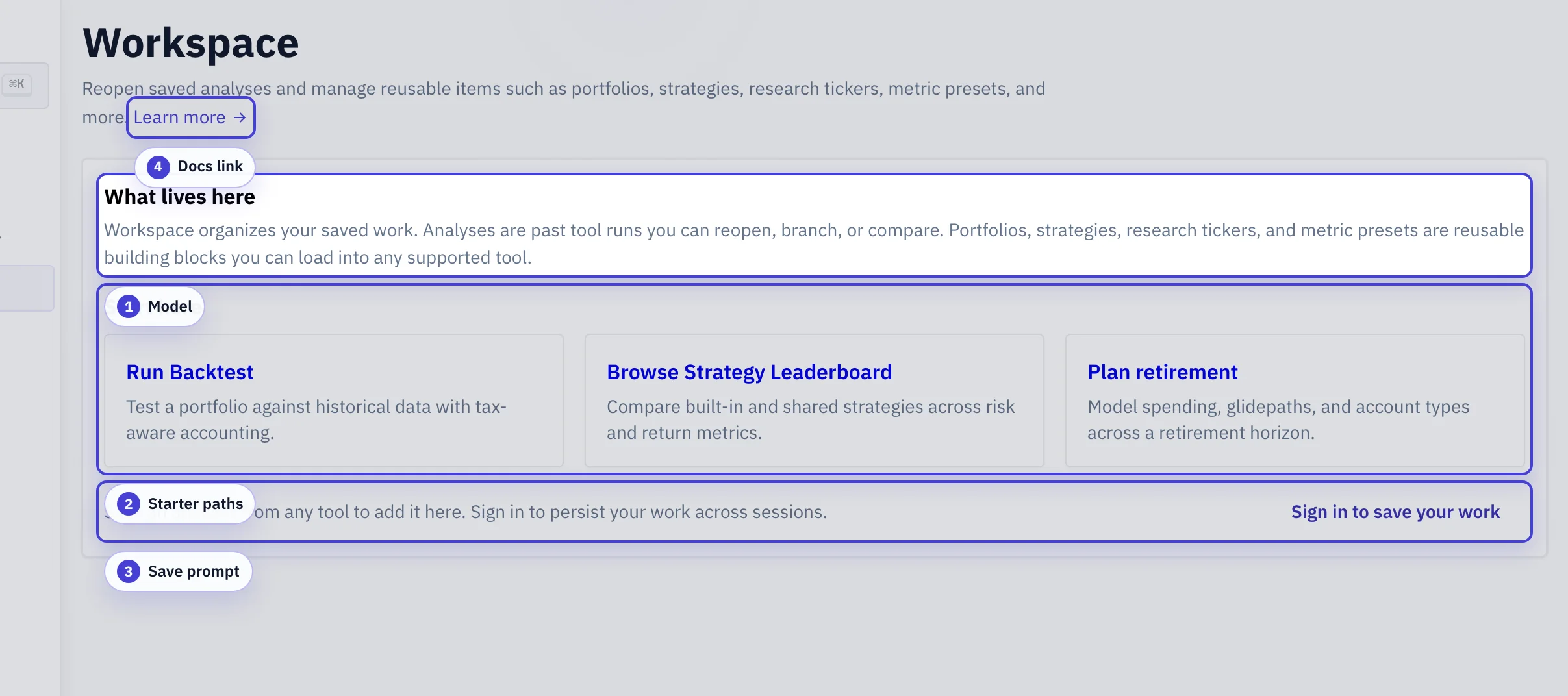
What lives here: The rail shows where to find analyses and Library items after signing in.
Example workspace: The example shows analyses grouped by tool and reusable Library entries.
Docs link: Opens this guide from Workspace.
What Workspace stores
Workspace holds analyses and Library items.
| Type | What It Contains | Typical Use |
|---|---|---|
| Analysis | Tool inputs, the latest current-engine result, and reopen state for a specific analysis. | Reopen, branch, compare, or share a past analysis. |
| Library item | A reusable object such as a Library portfolio, Library strategy, Library signal, or compare set. | Load the same object into new analyses. |
Main actions
- Open: reopen an analysis in the tool that created it.
- Update: save changes back to the current analysis.
- Duplicate: continue from an analysis without changing the original.
- Compare: line up compatible runs side by side.
- Preview: inspect a reusable item before loading it elsewhere.
Screen layout
- Analyses: saved analyses grouped by tool type.
- Library: reusable objects grouped by kind.
- Search: narrows the current list by name.
- Tags: filter reusable items by theme or workflow.
- Compare panel: appears when you select compatible saved analyses together.
Save to Library
Saving an analysis preserves its inputs and current result. Saving to Library preserves a loadable object derived from that analysis.
- Save an analysis when you need the same inputs and date range later. If its engine changes, old output is withheld until an automatic or manual rerun produces a current result.
- Save a portfolio configuration when you plan to reuse it in Monte Carlo or a later backtest.
- Create a signal when a Signal Analyzer result should become a reusable input for strategies or tactical rules.
Sharing and exports
A share link stores replayable inputs and preview metadata. Someone else can run the current engine without an account, and without writing to your workspace. It does not freeze an old calculated result.
- What a link embeds: the tool configuration, date range, and enough referenced inputs (portfolios, strategies, signals) for the viewer to replay the same analysis.
- Tax context stays private by default: share creation strips your personal tax profile from the payload, marks it redacted, and the replay runs pre-tax. Including tax settings in a share is an explicit choice when you create the link.
- Research tickers in shares: simulated (.SIM) tickers require sign-in. However, a ticker in your share remains replayable through that share. The exception does not expose other objects.
- Private-only tools: ArthaPilot blocks sharing for analyses that contain personal financial details. Private-only tools are the Retirement Planner, Roth Conversion Planner, Decumulation Studio, Planning Comparison, Tax-Aware Allocator, Asset-Location Backtester, and Auto-Optimizer. These analyses stay private.
- Advisor PDF report: Pro accounts can render a shared portfolio or tactical analysis as a formatted PDF report for sending outside the app.
- CSV exports: result tables export to CSV on Pro. See Plans & Limits for the full free vs Pro breakdown.
Common pitfalls
Editing a saved analysis you cared about
Duplicate first, then edit the duplicate. The original analysis stays untouched as a reference point.
Saving the same portfolio in five separate analyses
Save the portfolio as a Library item, then load it into each new analysis. Check existing analyses after you edit the Library item.
Selecting unrelated runs to compare
Compare requires compatible runs (same tool, comparable date range). The Compare panel will tell you when a selection is incompatible.
Glossary
Glossary
- Analysis
- Reproducible tool inputs, the latest current-engine result when available, and enough metadata to reopen and rerun the analysis later.
- Library item
- A reusable object such as a portfolio, strategy, signal, or indicator. You can load it into a compatible tool.
- Branch / duplicate
- A copy of a saved analysis. The original stays unchanged. Edits and reruns occur on the copy.
- Share link
- A URL that lets someone else replay your analysis (and any embedded inputs) without writing to Workspace.
- Compare set
- A pre-selected group of compatible analyses kept together so future comparisons start from the same lineup.